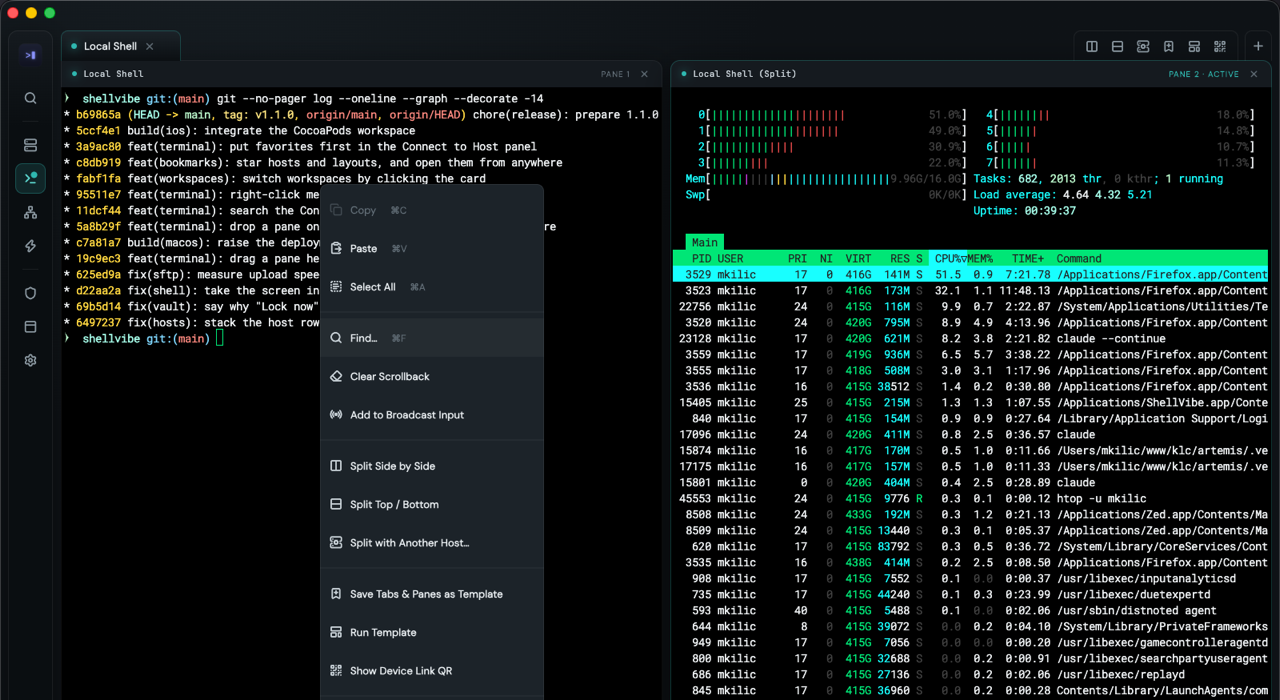
Split panes, saved as a template
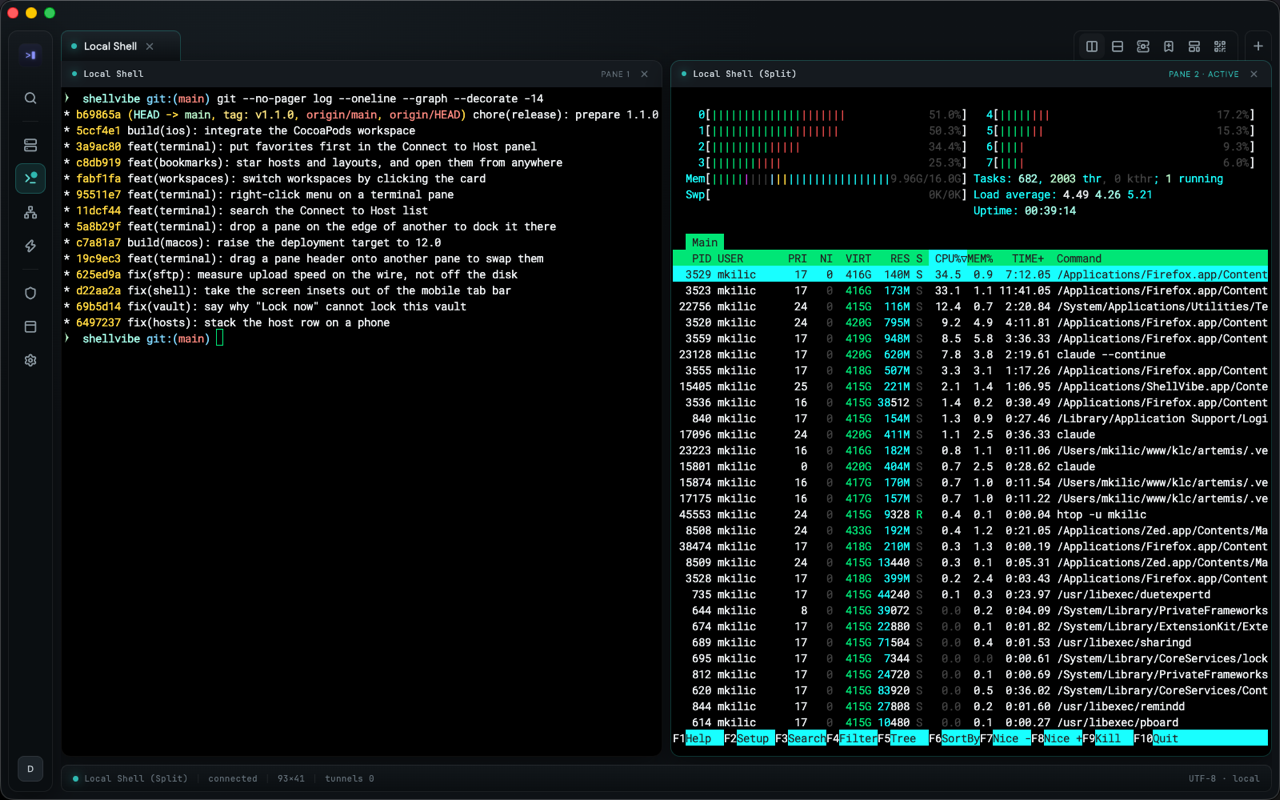
Tabs split side by side or stacked, panes dragged by their header, input broadcast to the panes you pick. Save the arrangement and open the whole thing again tomorrow.
Terminal, SSH, SFTP, tunnels and an encrypted identity vault in a single app, on macOS, Windows and Linux.
Every release carries a SHA256SUMS file to check the download against. iOS and Android build from the same codebase; there is no store release yet.
Tabs split side by side or stacked, panes dragged by their header, input broadcast to the panes you pick. Save the arrangement and open the whole thing again tomorrow.
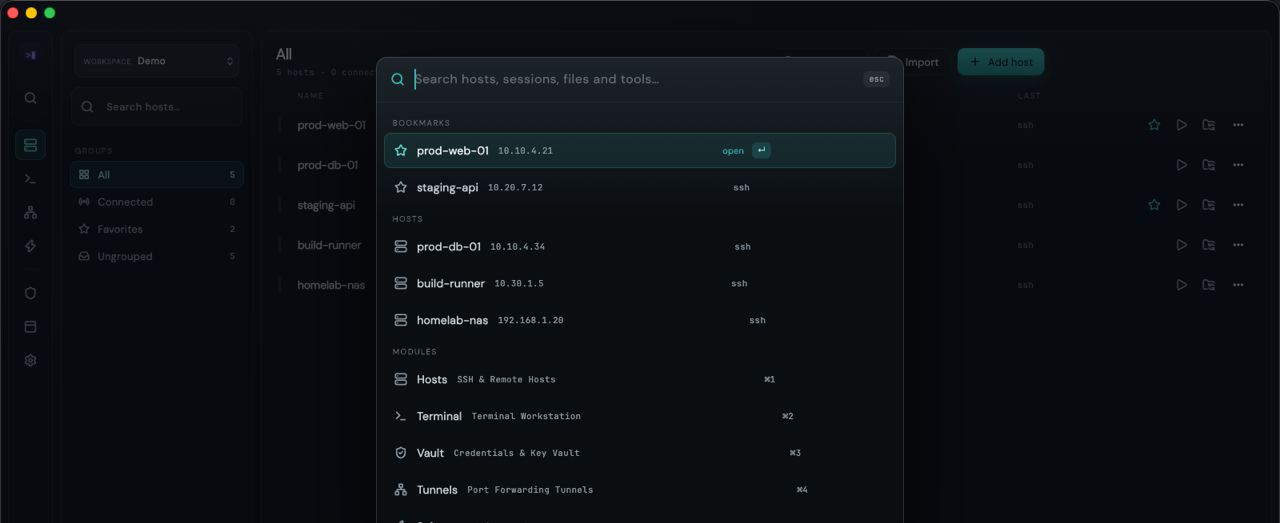
Press ⌘K and search hosts, sessions, files and tools. Starred hosts lead the list.
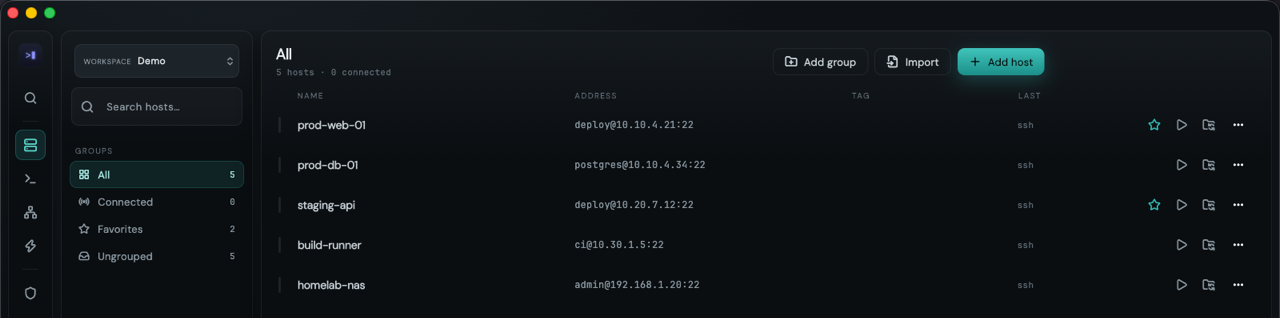
Groups, tags and favourites, plus an import for the hosts you already keep somewhere else.
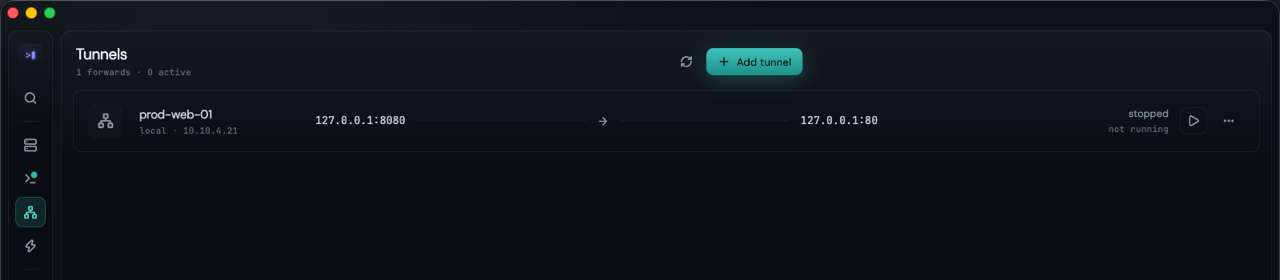
Local, remote and dynamic SOCKS5 rules, each one a row with live state and throughput. A forward opens its own connection, so it no longer waits for a terminal tab.
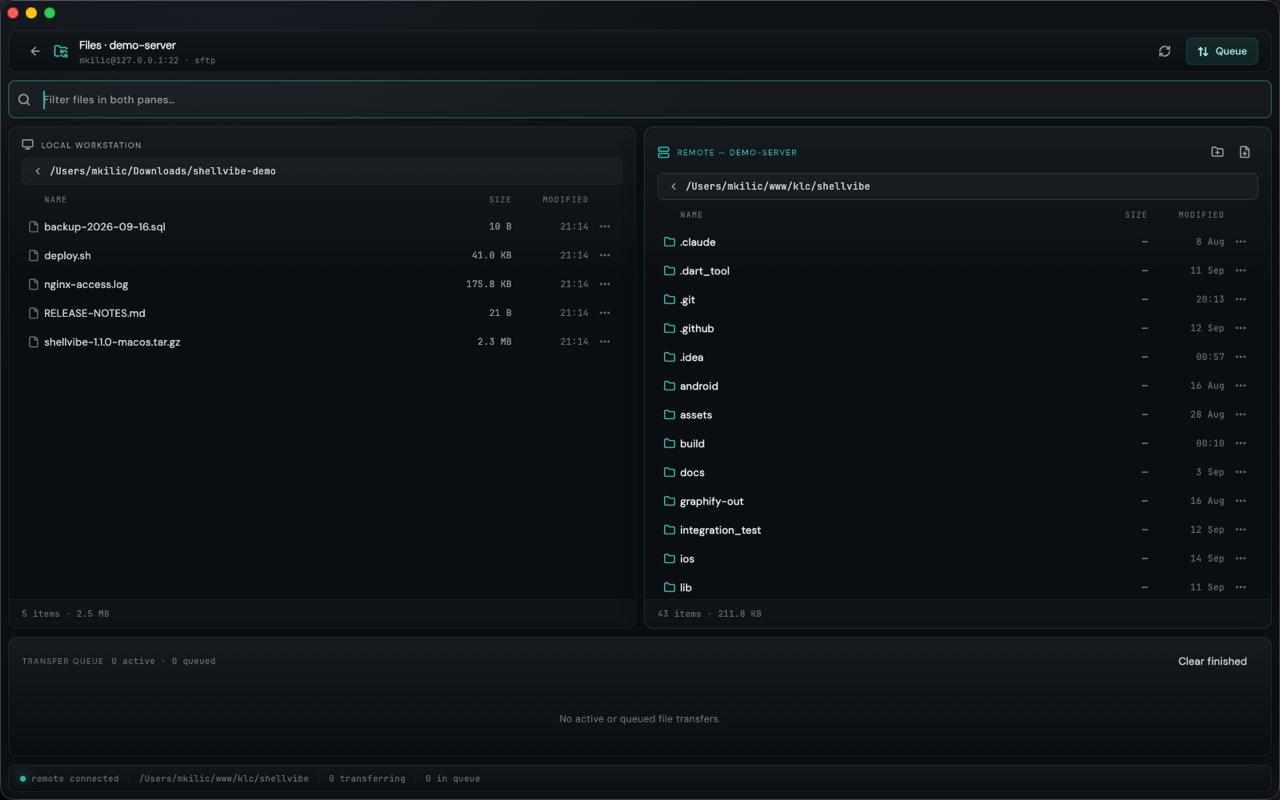
A dual-pane browser with your workstation on one side and the host on the other, over a transfer queue that keeps running while you work.
Passwords, private keys and passphrases are encrypted with a random data key, and that key is stored only in its wrapped form once you set a master password. Argon2id and AES-256-GCM.
Failed unlocks back off from 30 seconds to an hour, and the vault relocks when the app goes to the background.
Every host key is checked by SHA-256 fingerprint against a known_hosts table, trusted on first use and pinned after that.
A key that changed is refused on the normal connect path. It is not waved through with a warning you would click past.
No analytics, no telemetry, no crash reporting, and no account required. Signed out, it reaches the network in four places: the hosts you connect to, an update check you press, the font CDN if you choose a font we do not bundle, and Device Link over your own LAN.
The optional account adds cloud backup and sync. Our server keeps your name, email and device list, and your backups sealed with a passphrase it never sees.
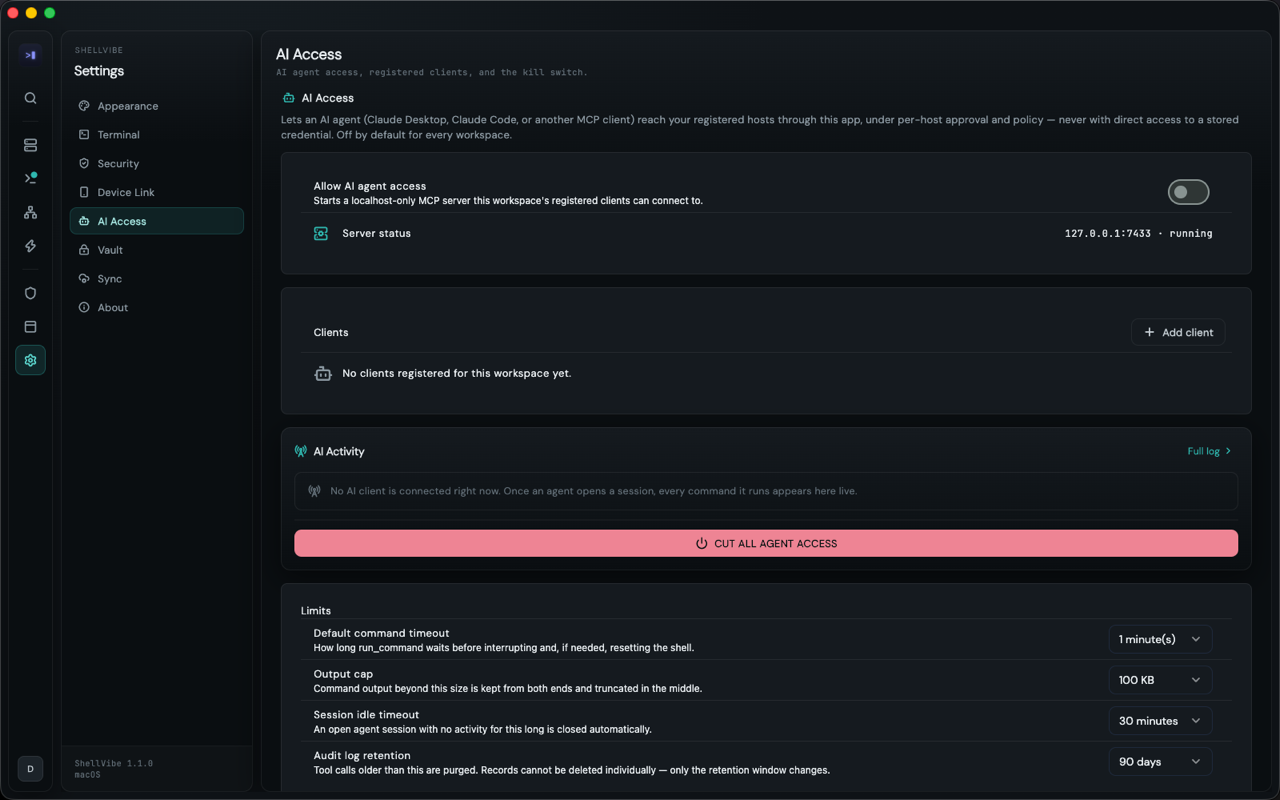
ShellVibe runs an MCP server on localhost, off by default in every workspace. Claude Code, Claude Desktop or any other MCP client connects to it and gets these tools:
The agent sees a host as an opaque id, never a hostname or a credential. You grant read-only or read-write per host, every call is written to an audit log, and one button cuts all of it off.
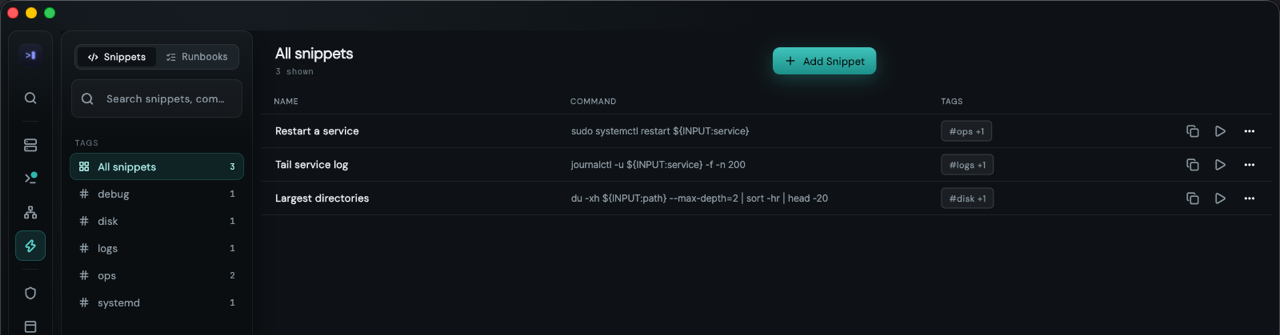
Parameterised commands with ${INPUT:name}, and multi-step runbooks checked against an exit code or a regex on the output.
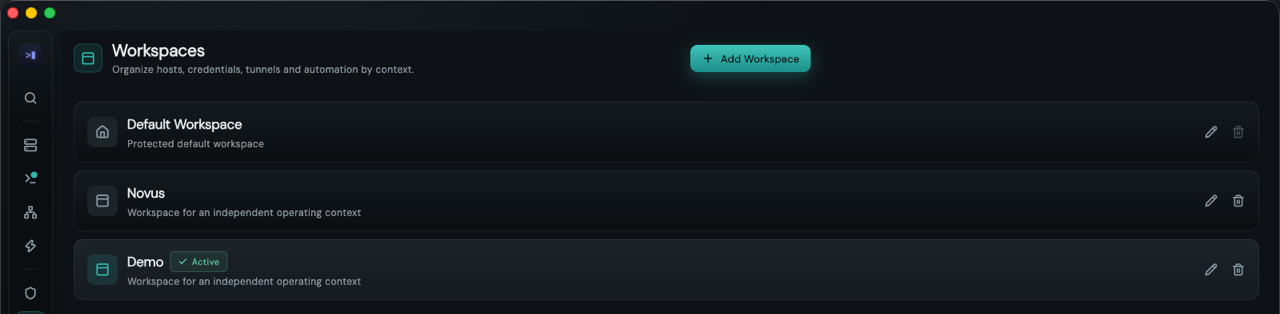
Hosts, identities, tunnels and automation scoped to a context, switched by clicking its card.
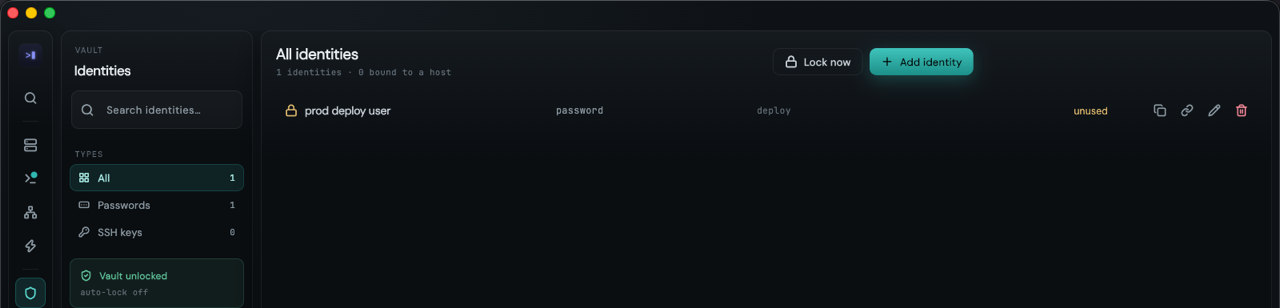
Every stored secret sits behind a single unlock, and the app forgets it again when you leave.
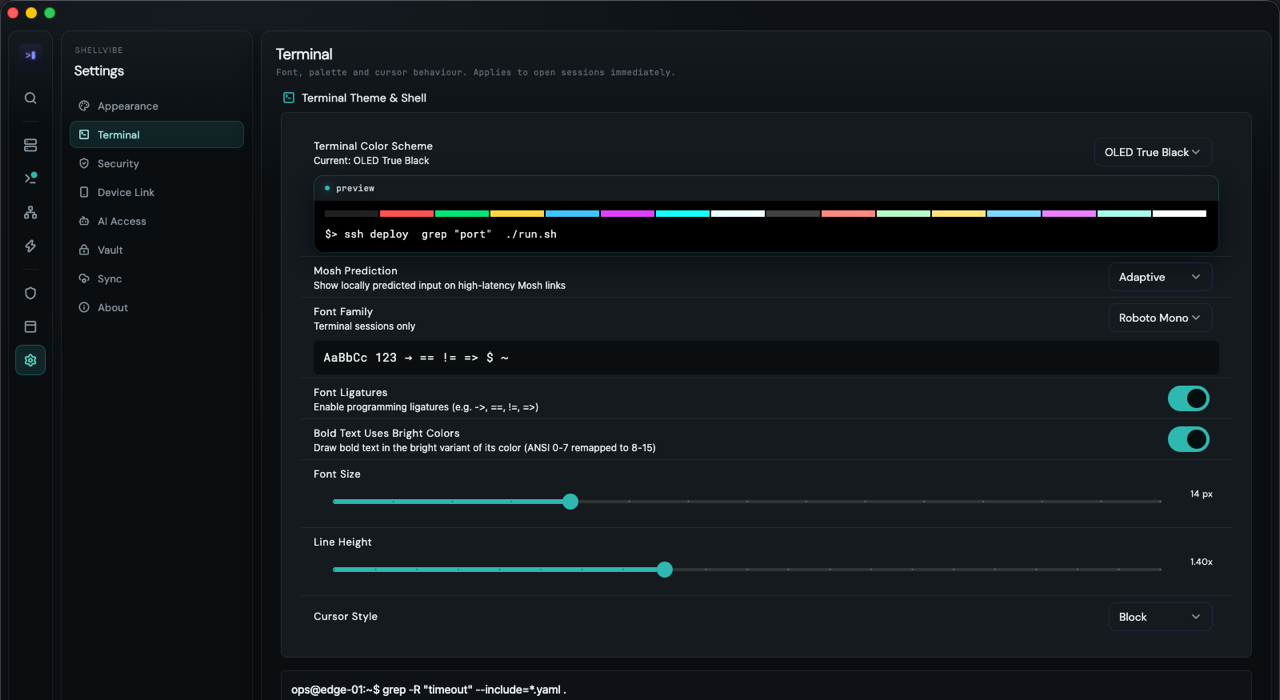
Palette, font, ligatures and cursor, applied to open sessions as you change them. OLED, Catppuccin, Nord, Dracula, Solarized, TokyoNight and Gruvbox ship in the box.
Read it, change it, fork it, run it at work. The one thing the licence withholds is shipping ShellVibe, or something much like it, as your own commercial product. Every release turns into Apache 2.0 two years after we publish it.
That is fair source, not OSI-approved open source, and we do not call it open source.